
I noticed that a number of people just didn’t know this .. so let’s give it some attention.
In one sentence: it is possible to import a filtered set of objects in stead of always importing all objects from a .fob file by using and filtering the Import Worksheet.
I hear you: dude .. this is obvious .. I already know this .. don’t waste my time. Well, don’t read further ;-). Lately, I came across too many people that didn’t know this ..
How?
Simple.
If you import a .fob file, you (usually) come across this message:
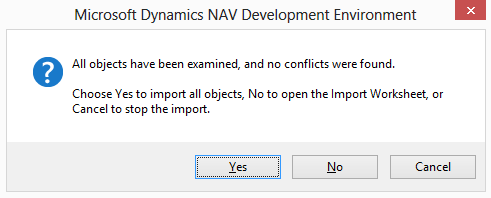
Click “No”, because you don’t want to import everything .. So you’re going to use the “Import Worksheet”.
Now, you get the list of all the objects in your .fob file .. and now you can specify what you can do with it.
If you filter this list, and click ok, then it’s only going to import the filtered objects.
In my case, my fob contains about all objects of a database: about 3500 objects. I filtered the “Payment Terms” objects, so I get this:
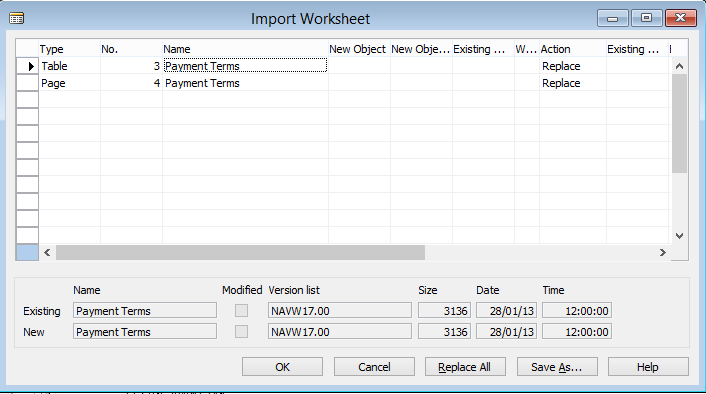
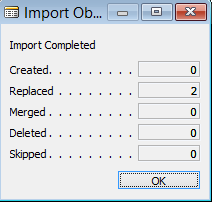
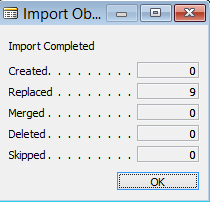
I click “OK” and as you see:
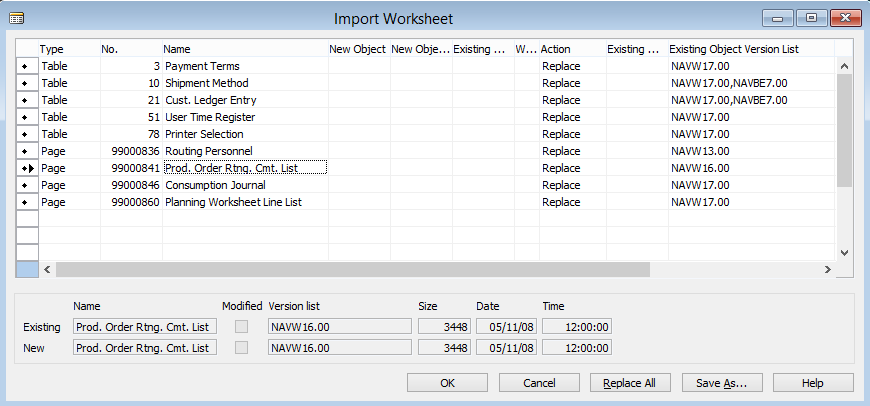
Working with marked records is also an option. So if you’re not able to filter the set you need, just mark the objects, show “marked only” and there you go:
Not all blog post have to be complex, right? NAV is all about “Simplicity”, wasn’t it ;-).
 Loading ...
1 comment
4 pings
I never noticed the filtering on the import work bench … or I forgot about it…
This one made my day today, thanks!
[…] Read the complete post at http://www.waldo.be/2013/02/18/importing-a-filtered-set-of-objects-from-fob/ […]
[…] I noticed that a number of people just didn’t know this .. so let’s give it some attention. In one sentence: it is possible to import a filtered set of objects in stead of always importing all objects from a .fob file by using and filtering the Import Worksheet. I hear you: dude .. this … Continue reading »…(read more) […]
[…] I noticed that a number of people just didn’t know this .. so let’s give it some attention. In one sentence: it is possible to import a filtered set of objects in stead of always importing all objects from a .fob file by using and filtering the Import Worksheet. I hear you: dude .. this … Continue reading »…(read more)….. […]
[…] Bron : Waldo’s Blog Lees meer… […]